
泰拉瑞亚虽然是一个比较远古的游戏,但是时至今日依然有许多充满活力和创造力的社区。就比如说今天我要作为例子安装进tmodloader的灾厄mod。
而想要游玩灾厄这种mod一定绕不开一个非常重要的工具,tmodloader。对于单机游玩,只需要确保在Steam安装了泰拉瑞亚的情况下再安装 tmodloader,并在创意工坊中订阅灾厄的mod,steam便会自动帮你将灾厄安装进入。如下图所示官方的创意工坊有非常详细的模组分类。
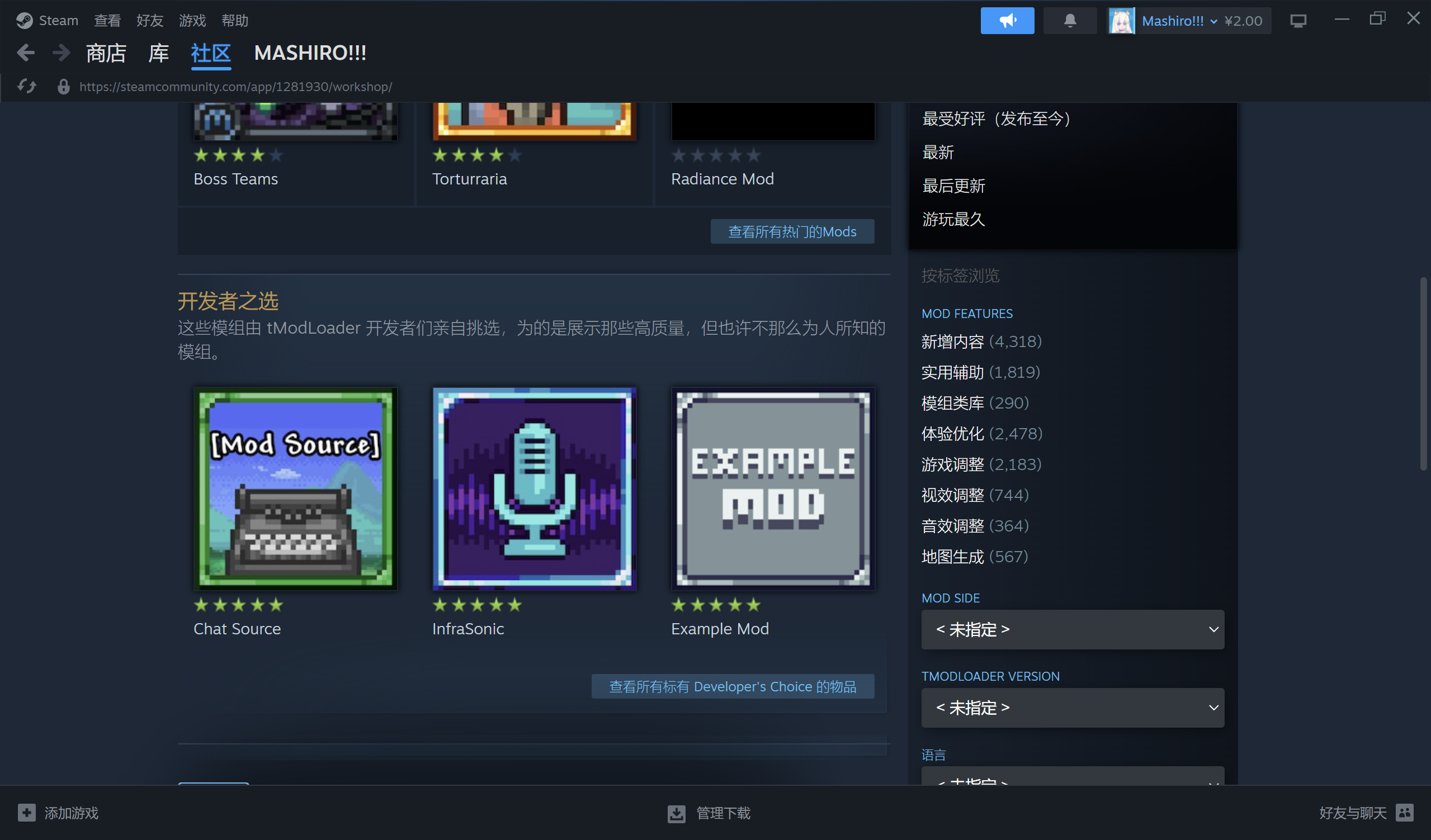
而如果需要多人联机,使用泰拉瑞亚内置的联机系统可能就不是一个非常好的选择,这个时候我们就需要用到tmodloader内置的开服工具了。
前期准备
我们首先需要得到Tmodloader开服所需要的所有文件。在 Steam 下载 tmodloader 后右键打开 tmodloader 的文件夹。
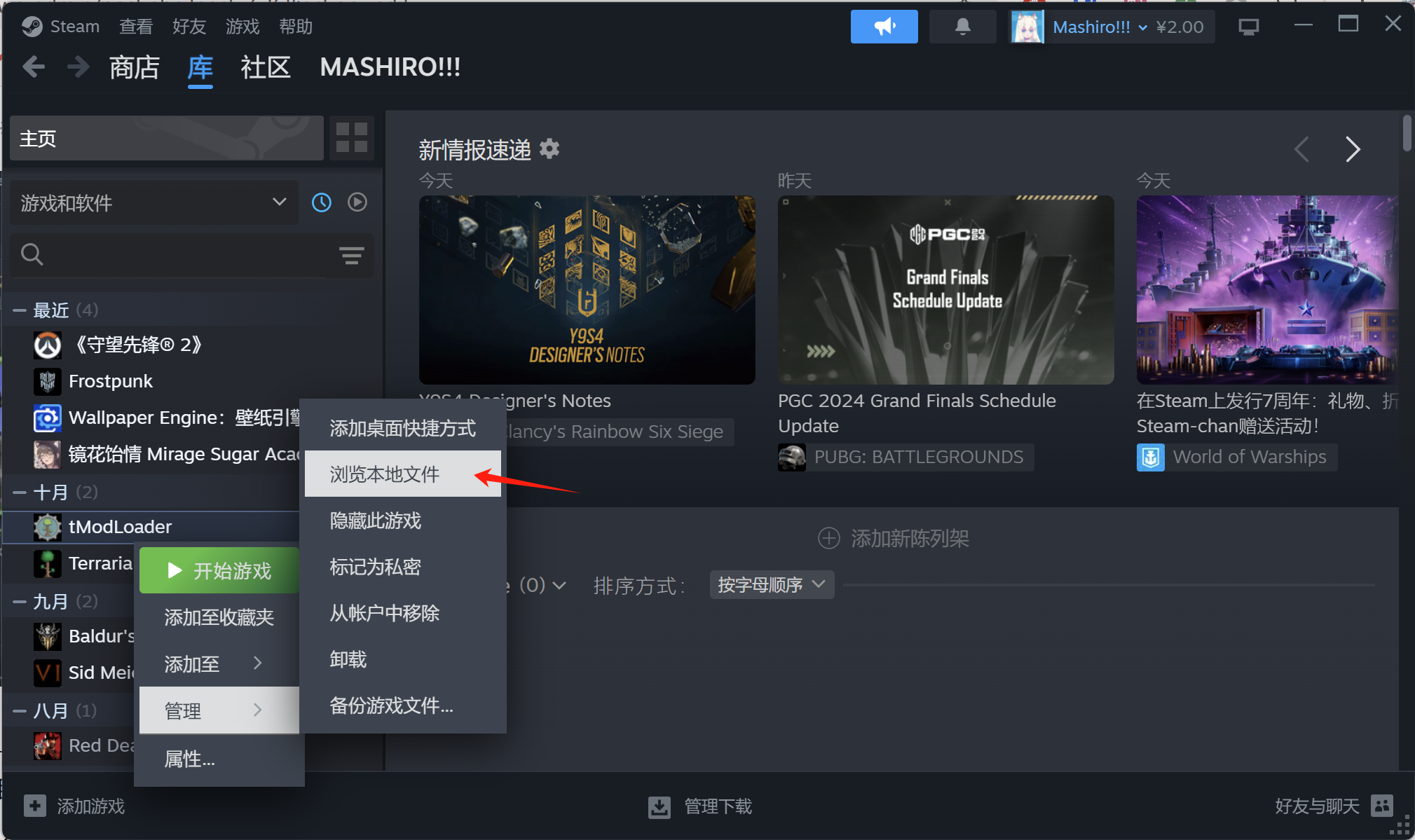
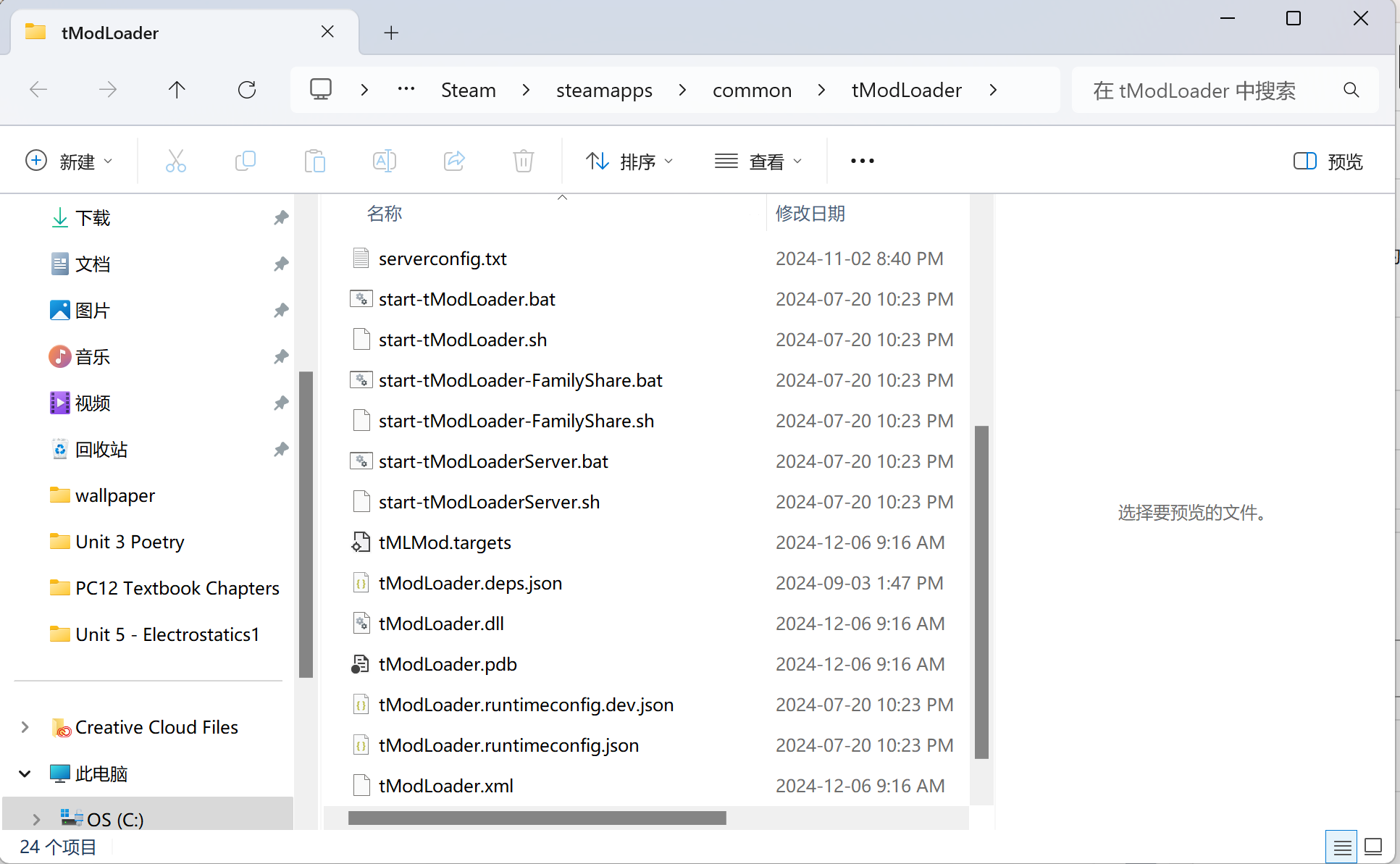
和泰拉瑞亚本体一样,这个文件夹就是开服所需要的所有文件,包括 Linux, Windows 等版本。
这里需要注意的是时至今日 tmodloader 任然在频繁的更新,因此如果你发现某一天突然无法进入服务器只需要重复上面的操作更新服务器文件即可。
Windows 开服
对于 Windows 来说 tmodloader 的存档默认是放在 Steam 存档文件夹中的 泰拉瑞亚 – tmodloader – Worlds中的。这里需要注意 tmodloader 的地图文件有两个,一个是 .wld 一个是 .twld
C:\Users\你的用户名\Documents\My Games\Terraria\tModLoader\Worlds而 Mods 文件则需要放在与 Worlds 相邻的 Mods 中的 ModPacks 文件夹
C:\Users\你的用户名\Documents\My Games\Terraria\tModLoader\Mods\ModPacks我们需要做的是将从创意工坊下载的模组文件复制到上面的 Mods 文件夹中。一个简单的方法是打开你目前的 tmodloader 选择导出 mod 包
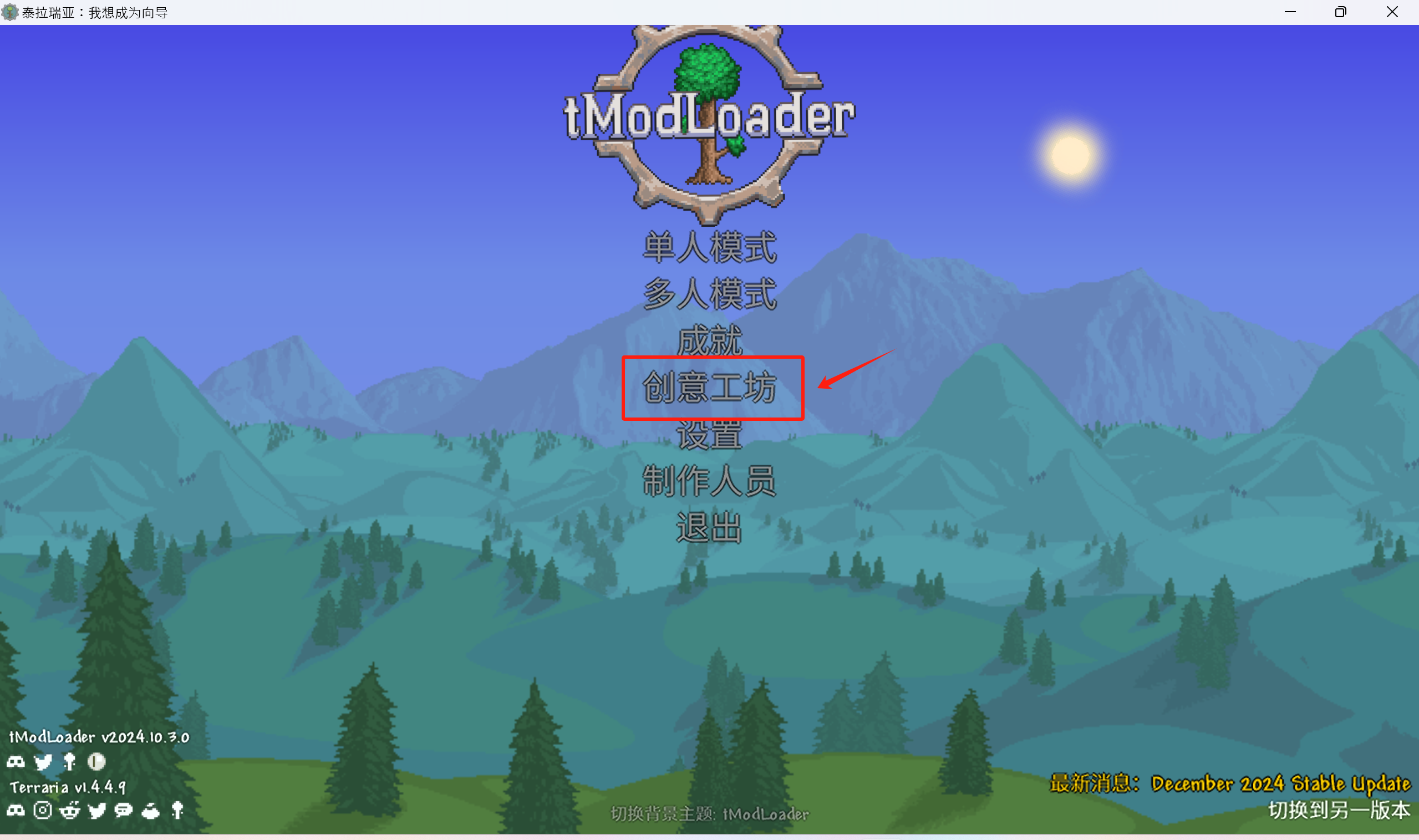
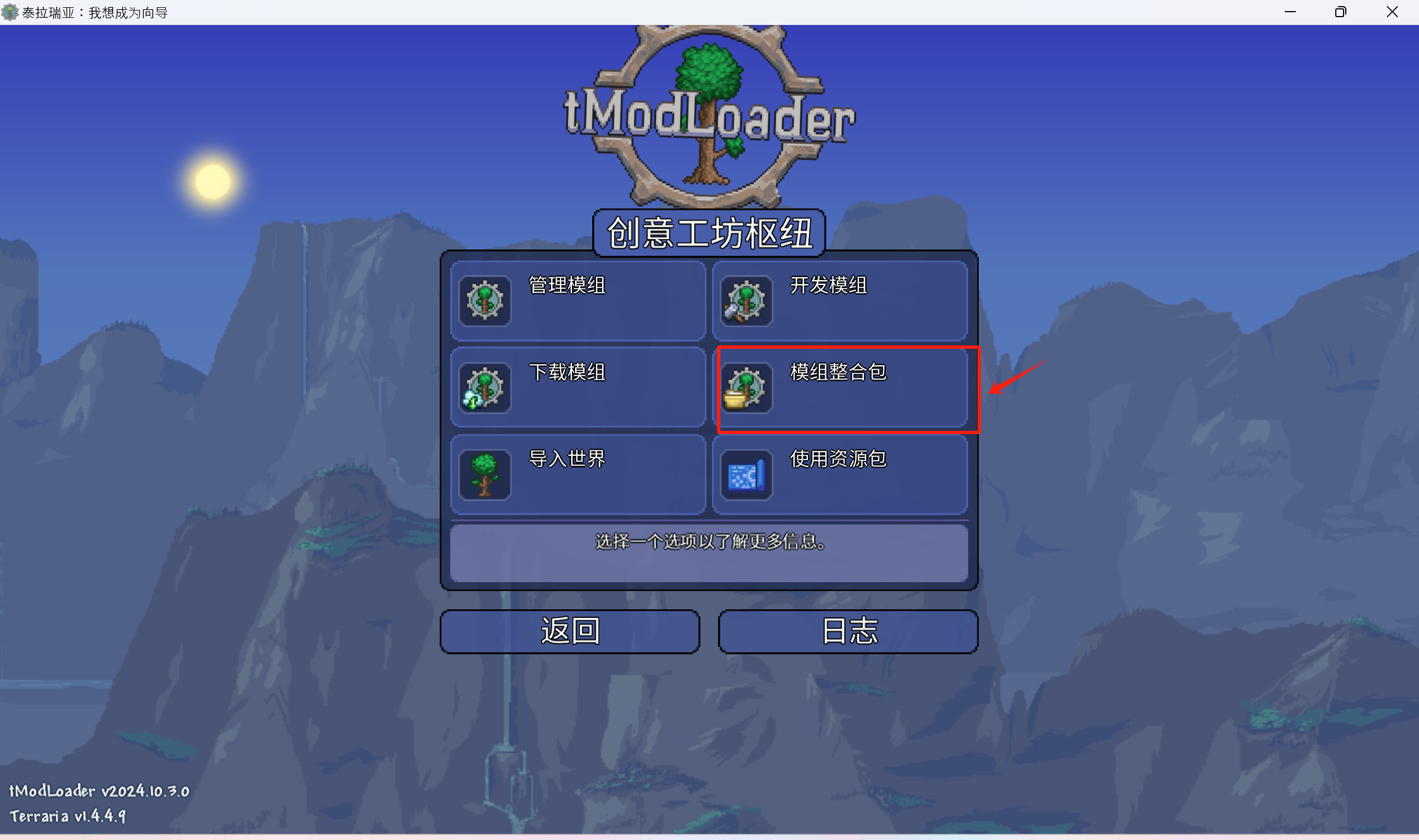
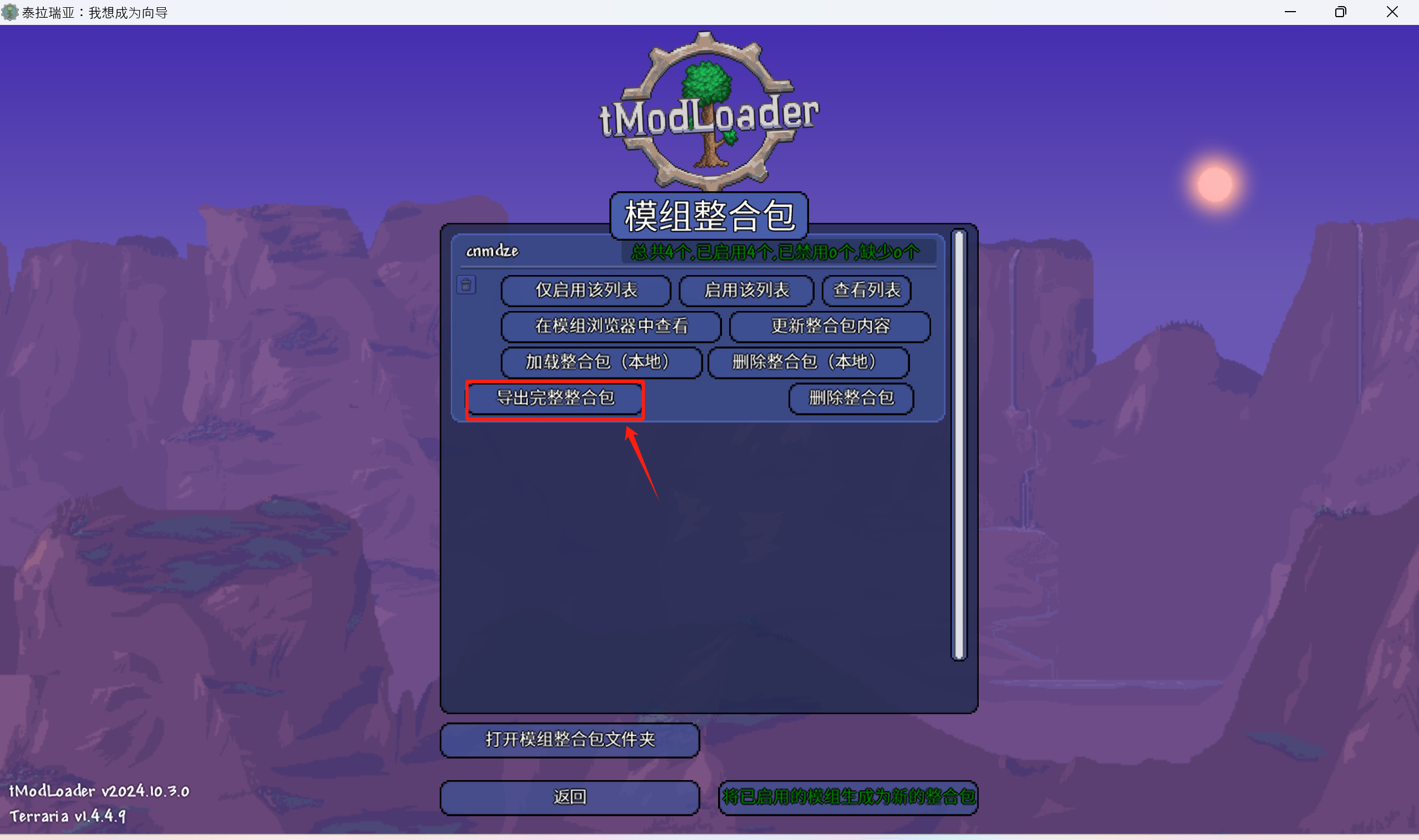
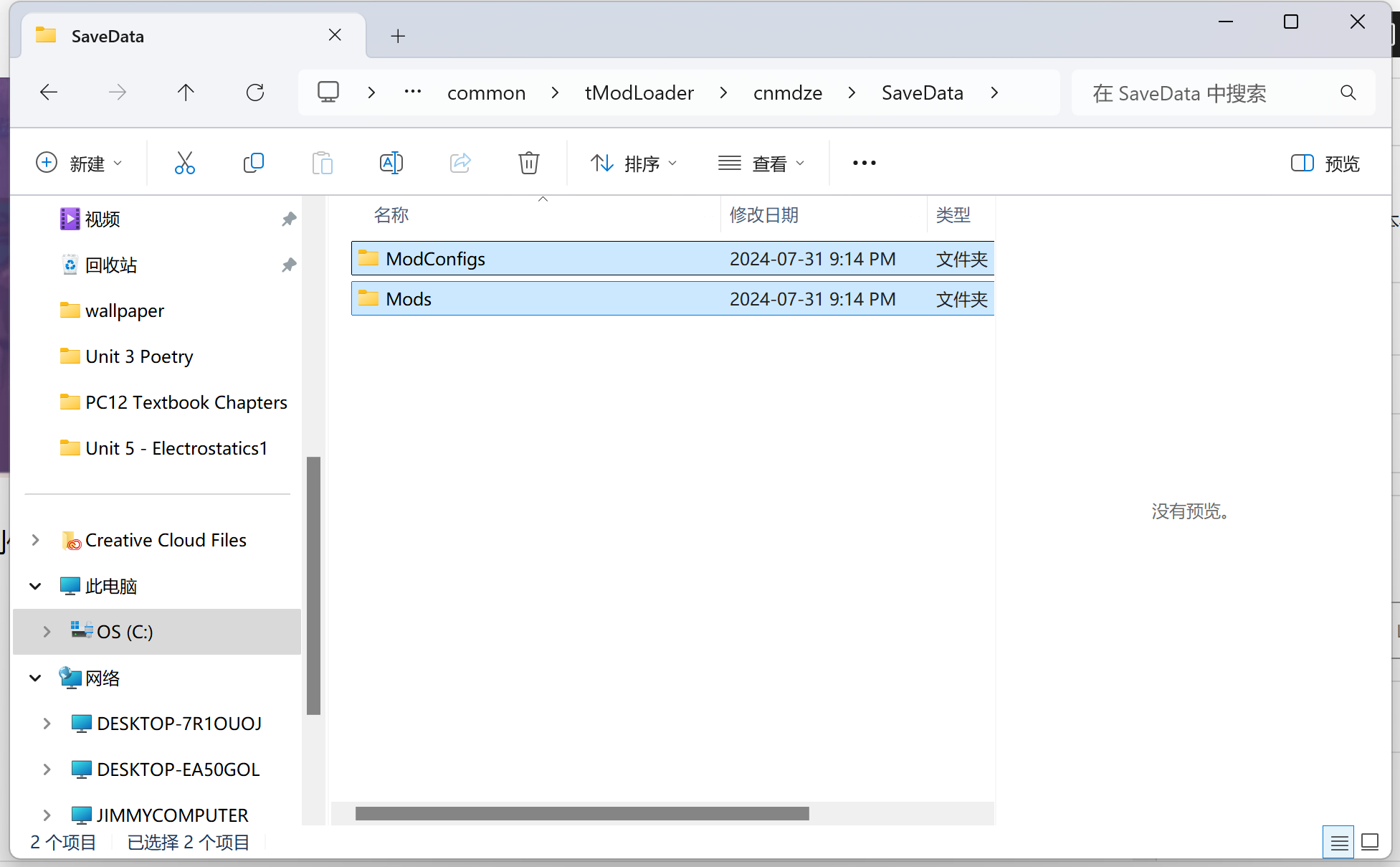
现在你会进入到你目前的模组文件夹,下一步进入 SaveData目录并复制目录中的所有文件。
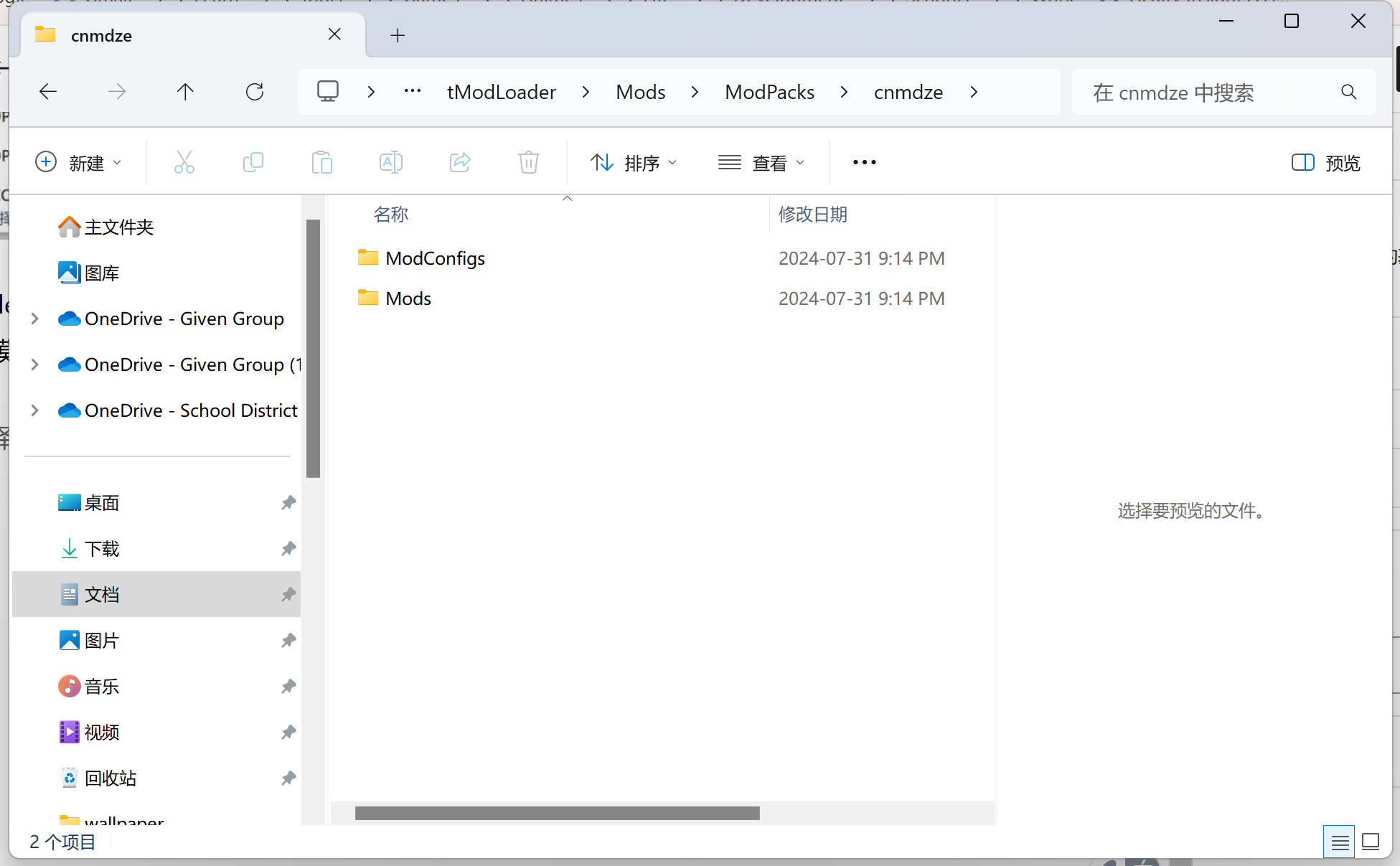
在 tmodloader 的 mods 文件夹中的 ModPacks文件夹中创建一个文件夹,名称可以为随意的英语,然后将刚刚复制的模组文件粘贴到这个文件夹中。
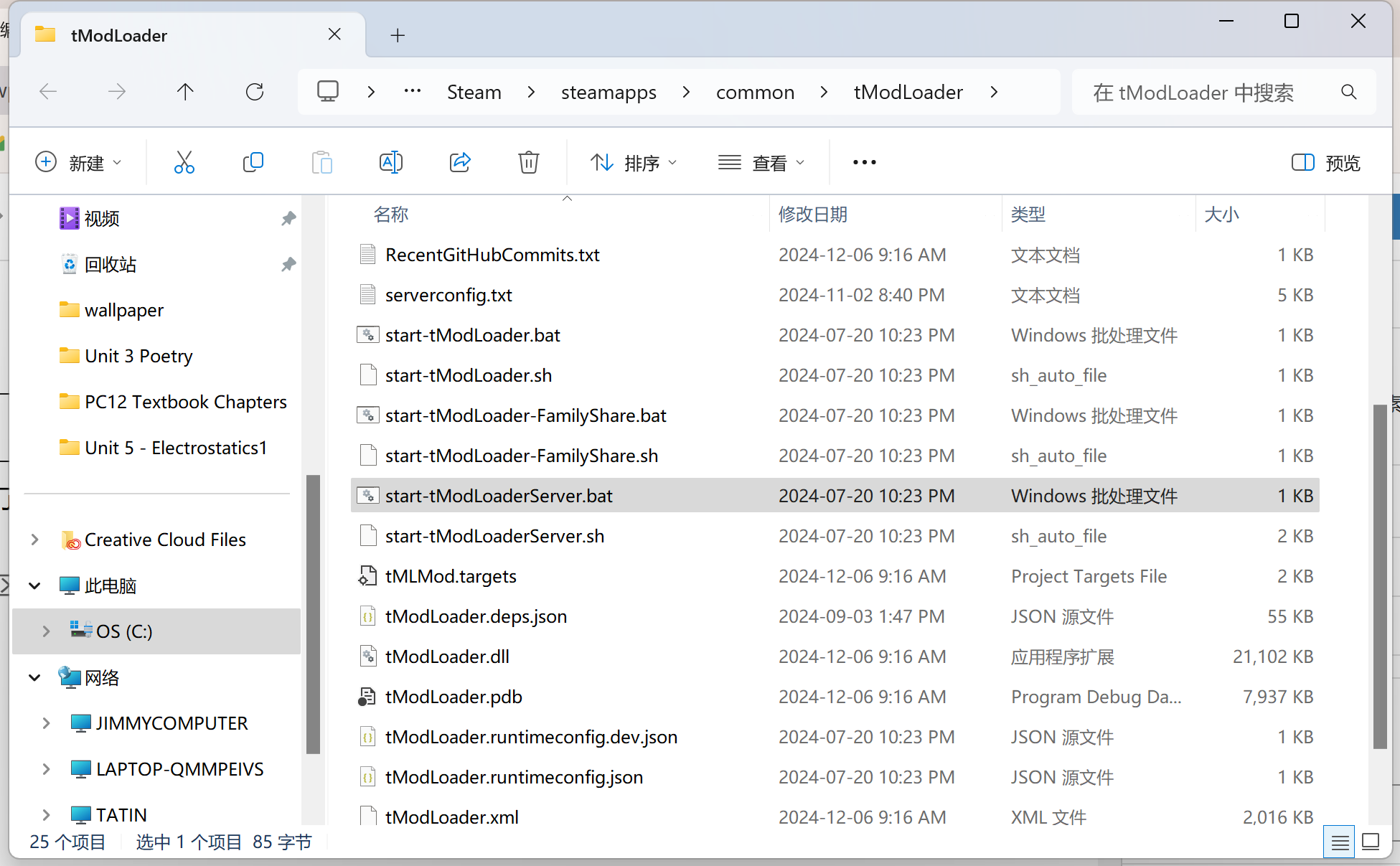
下一步就可以开服了,我们回到 tmodloader 所在的文件夹,双击 start-tModLoaderServer.bat
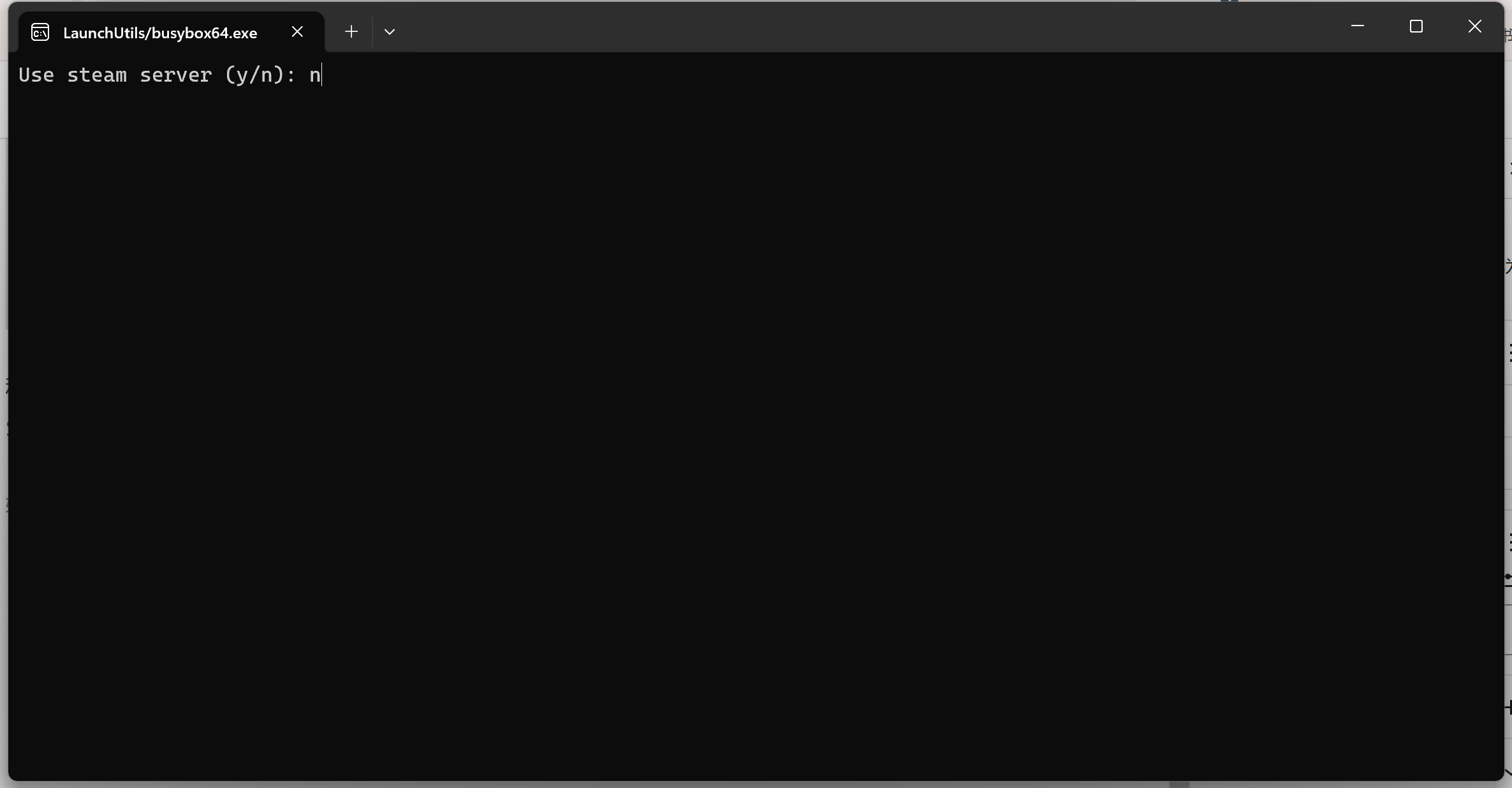
程序为首先下载 .net 的以来,此时需要注意网络连接。打开后我们会进入终端。第一步是选择是否使用 Steam 服务器,我们选择否,输入n
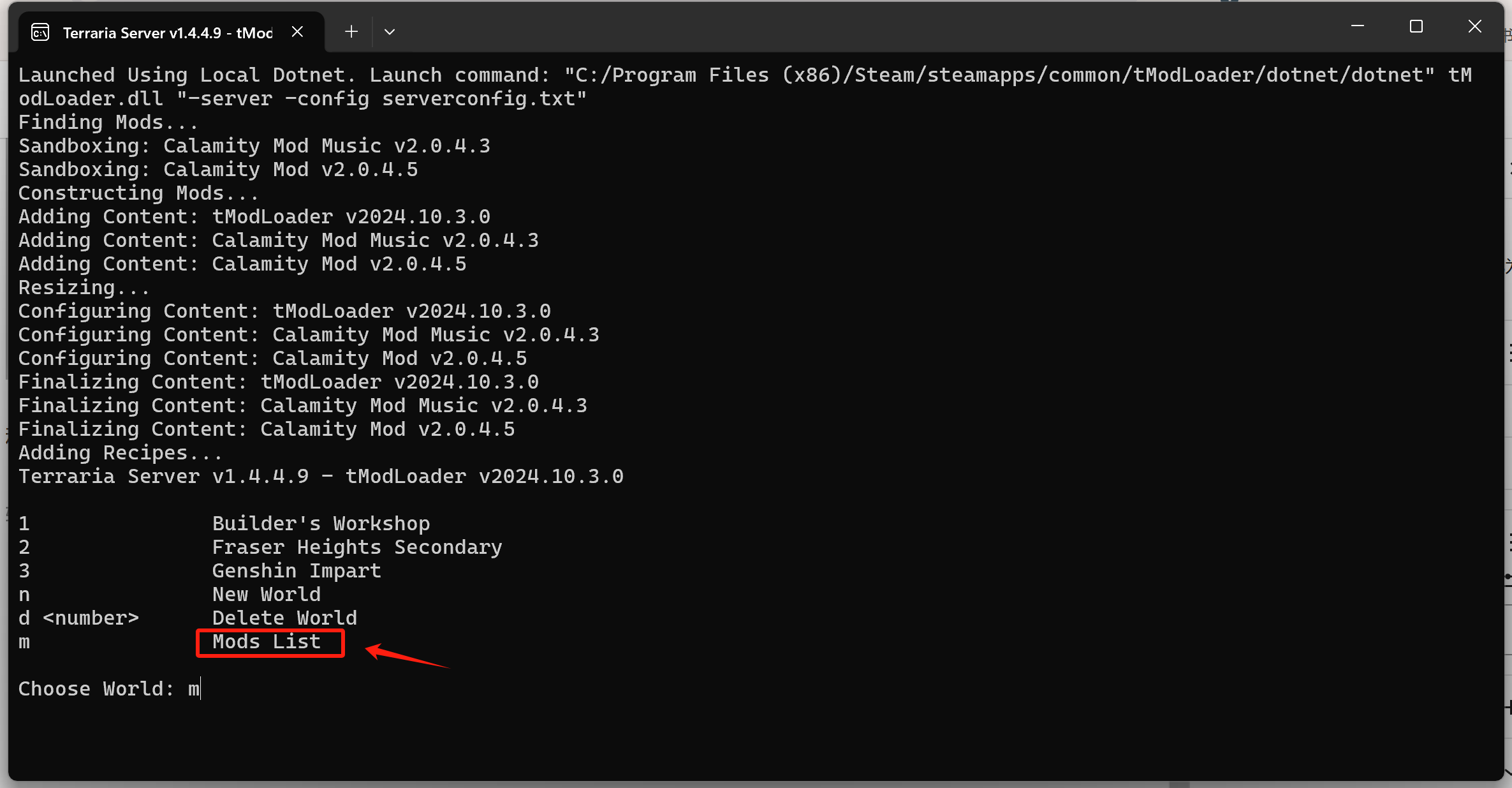
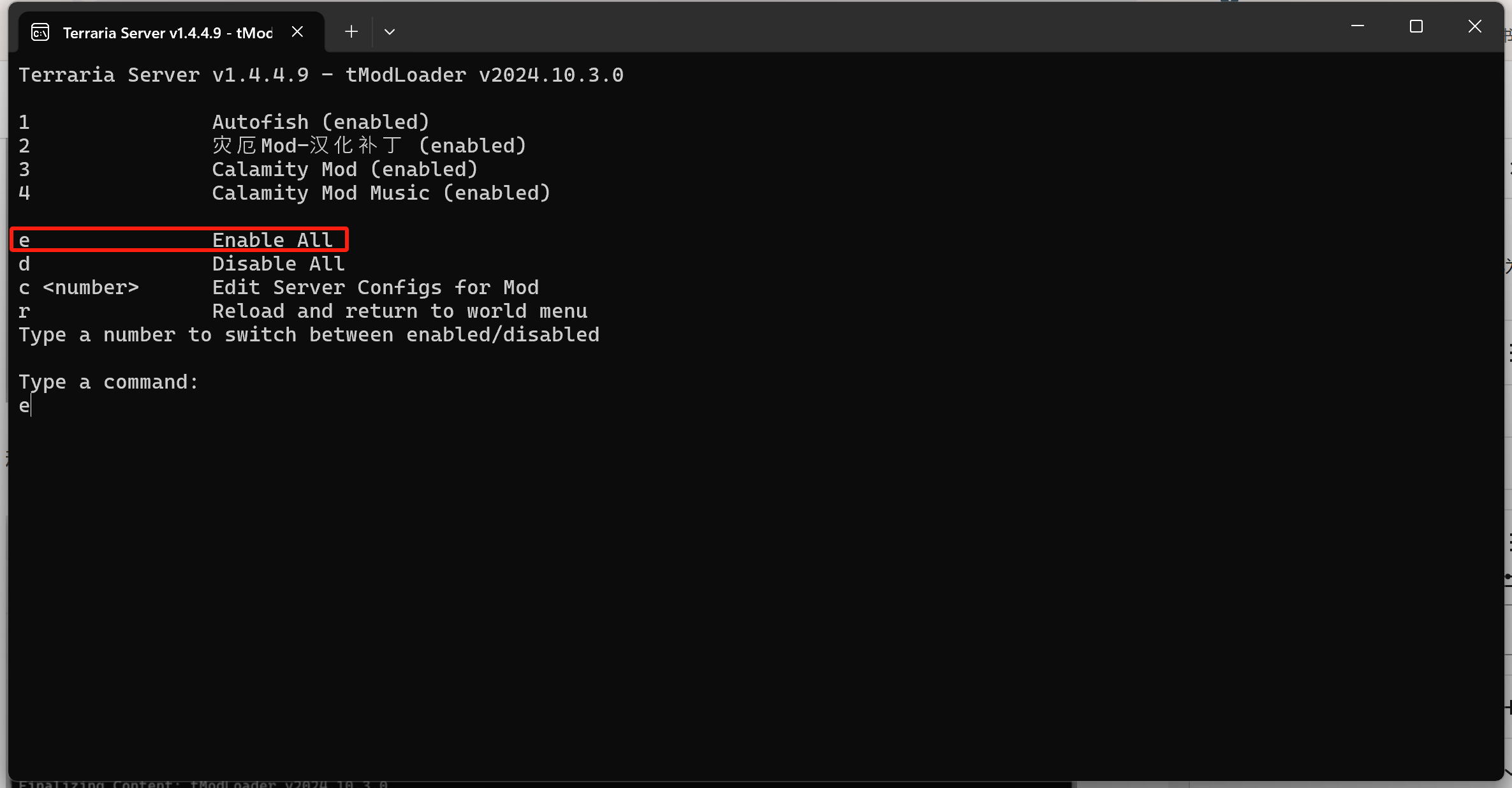
稍作等待后我们会进入配置界面,我们先选择 m 进入 mods 管理界面。然后输入 e 启用所有 mods。
然后输入r返回主界面。接着我们可以选择一个我们导入的世界或者新建一个世界。这样就可以成功打开服务器了。最后在游戏中输入你的 ip+端口7777 即可进入游戏。
Linux 的开服
说是Linux的开服,其实Windows也可以用和下面一样的方法一键开服(除了最后一步不一样),Linux的开服整体类似于Windows,但是为了方便我们自己,我们可以做一些小的修改,比如使用 serverconfig.txt 文件自定义存档和 Mods的位置。
我们主要修改的地方有以下几个:存档位置,难度,服务器最大人数,服务器端口和模组位置。
我们可以将存档和Mods文件都放到 tmodloader 的文件夹中
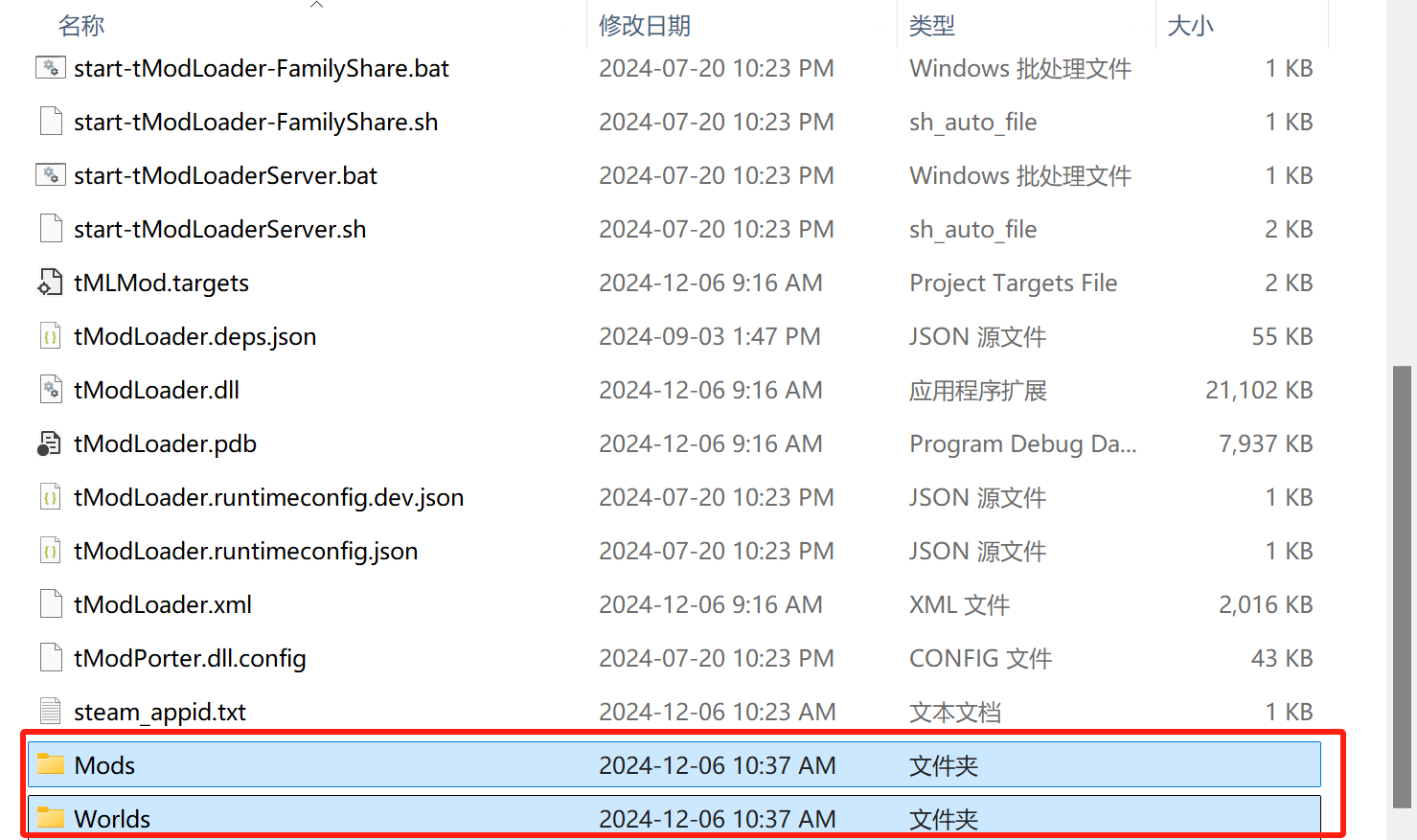
然后修改serverconfig.txt中的地图位置
#Load a world and automatically start the server.
world=./Worlds/11451411213123.wld
修改mods文件位置为你的mod所在的位置
#Sets the folder where manually installed mods will be loaded from.
modpath=./Mods
修改难度,端口和最大人数
#Sets the difficulty of the world when using autocreate 0(normal), 1(expert)
difficulty=1
#Set the port number
port=7777#Sets the max number of players allowed on a server. Value must be between 1 and 255
maxplayers=8接下来就可以使用下面这行命令在 Linux中启动了。
sh ./start-tModLoaderServer.sh -nosteam -config ./serverconfig.txt当然在 Windows 同样可以用上面的方法,只需要将命令改为
./start-tModLoaderServer.bat -nosteam -config ./serverconfig.txt接下来就享受游戏把。





Really happy with the variety of games available here. There is always something new to try and the rewards are actually fair. Cheers to phph945
Very reliable platform with a wide range of payment methods. Everything is transparent and fast. I trust rupiahbetlogin completely.
I’ve been looking for a reliable spot to play and this one really hits the mark. The interface is smooth and the payouts are surprisingly fast. Definitely my new go-to place for some action! brsorte26bet
I’ve been looking for a reliable spot to play and this one really delivers. The interface is smooth and the payouts are fast. Definitely check out vntg88ok7 if you want a great experience.
The game variety is insane! I spent hours playing and didn’t get bored at all. Best experience so far at phjili44
If you are into slots then this is the spot. The graphics are crisp and the winning streaks have been pretty decent so far. Give idrakyatslot a try.
Finally found a reliable way to access my account without any glitches. The interface is very user friendly and the login is instant. Best spot for fans of Jili games is definitely 711jililogin.
The winning odds here feel much better than other platforms. It is a total game changer. Try phluxwinph today.
I love how easy it is to manage my account here. No complicated steps just straight to the action. mega303login makes gaming so much simpler.
Playing here has been such a smooth ride from day one. The mobile version works perfectly on my data plan and I never had to deal with confusing menus. I like how the staff replies in a friendly way and actually solves issues instead of giving me a run around. Bonuses feel genuine and the games run fair. Really happy I made the switch here. ph54ph